


FlexiSchools App
Prince of Peace will be utilising FlexiSchools through 2026 to take payments for some events, ticket purchases, canteen orders etc.
Please follow the directions below to download the App and set up your Flexischools account.
Step 1: Download the Flexischools app to your phone
Download the app from the Google Play (Android phones) or App store (Apple phones), or scan the QR Code below.
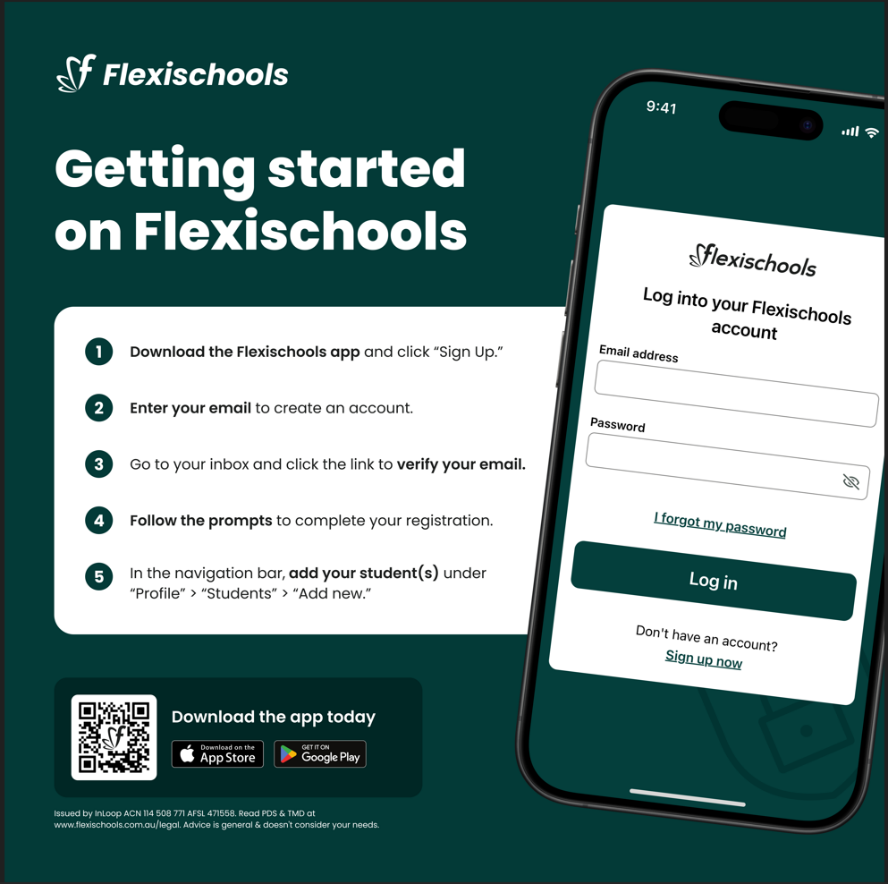
Step 2: Register an account
For new first time users, there will be a prompt on the screen to add student/s.
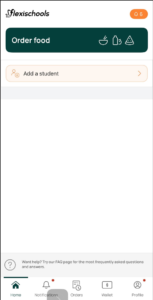
For those who have previously used the Flexischools app, please go to Profile in the bottom right corner, find the Students section and select Add New.
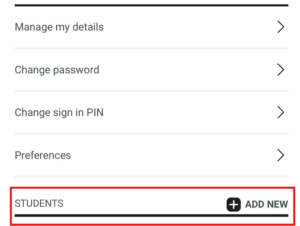
Step 3: Add Student/s
Set up child’s name, list the school as Prince of Peace, add year level and class.
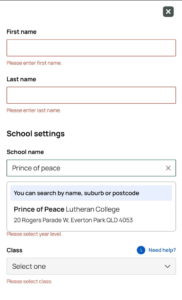
Step 4: Make Orders / Payments
The Home page has a button for placing Canteen orders, also will also list any events or special orders that are currently able to be made.